
Best Free Data Conversion Tools: CSV, JSON, YAML, SQL, Excel, Markdown, and C#
/blog/best-free-data-conversion-tools-csv-json-yaml-sql-excel-markdown-and-c
Published July 4, 2026
- data conversion
- csv converter
- json converter
- yaml converter
- developer tools
Explore the best free online data conversion tools for developers, including CSV, JSON, YAML, SQL, Excel, Markdown, and C# converters with practical examples.
Best Free Data Conversion Tools: CSV, JSON, YAML, SQL, Excel, Markdown, and C#
Every developer runs into data format headaches—whether wrangling CSV exports, working with a RESTful JSON API, or preparing SQL inserts for a database. When you need quick, reliable format conversions, a csv to json converter or similar tool can save hours of tedious manual work. This guide introduces the top free online data conversion tools for formats like CSV, JSON, YAML, SQL, Excel, Markdown, and even C# class generation, making your data workflows seamless and efficient.
Why Developers Need Free Online Data Conversion Tools
Developers often juggle between multiple data formats: moving spreadsheet data into an API, converting YAML configs to JSON, or generating Markdown tables for documentation. Free online data conversion tools take the pain out of these repetitive tasks by offering simple utilities for:
CSV to JSON and JSON to CSV conversions
YAML to JSON, and vice versa
Excel files to JSON arrays or objects
Markdown tables from CSV files
SQL
INSERTstatements from CSVC# class objects from JSON schemas
1. CSV to JSON Converter & JSON to CSV Converter
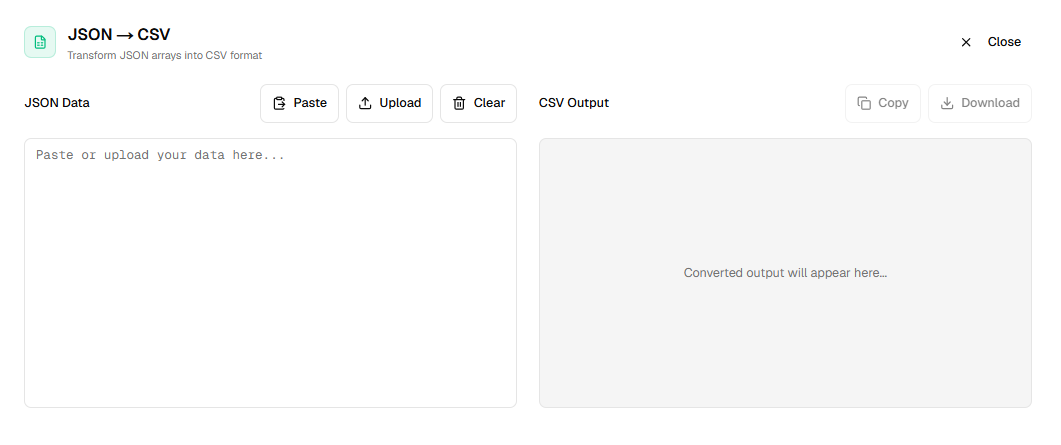
Moving data between spreadsheets and APIs? Use a csv to json converter to transform raw CSV data into clean JSON objects instantly.
Example:
CSV:
name,age
Alice,30
Bob,25

JSON Output:
[
  { "name": "Alice", "age": 30 },
  { "name": "Bob", "age": 25 }
]
Reversing this? A json to csv converter lets you take API responses and turn them into spreadsheet-ready CSV files.
2. CSV to YAML Converter & YAML to JSON Converter
If you're managing configuration files, you'll often go from CSV (for initial data input) to YAML for your apps. Use a csv to yaml converter to create readable configs, or a yaml to json converter when you need to switch formats for web development.
3. Excel to JSON Converter
Spreadsheet data abounds in real-world workflows. With an excel to json converter, quickly turn sheet data into API-ready JSON. Just upload your file and export the format you need.
4. JSON to YAML Converter & CSV to SQL Insert Converter
Whether syncing frontend configs (json to yaml converter) or migrating tabular data to a relational database (csv to sql insert converter), these conversions are daily developer tasks.
CSV:
id,name
101,Widget
102,Gadget

SQL Output:
INSERT INTO tablename (id,name) VALUES (101,'Widget'),(102,'Gadget');
5. CSV to Markdown Table Converter
Documenting data or crafting project READMEs? Use a csv to markdown table converter to instantly turn tabular data into markdown format.
CSV:
Lang,Creator
Python,Guido
Go,Rob

Markdown Output:
| Lang   | Creator |
|--------|---------|
| Python | Guido   |
| Go     | Rob     |
6. JSON to C# Class Converter
Working with .NET applications? The json to c# class converter takes any valid JSON object and generates the matching C# class for type-safe serialization and deserialization.
Practical Steps for Using Free Online Data Conversion Tools
Paste or upload your data (CSV, JSON, YAML, etc.)
Select the output format you need
Review and download the converted results
For high-speed, effortless conversions across all these formats, try XLGen’s free online converters—developer tools built for simplicity and accuracy.
Conclusion
Keeping your data portable shouldn’t be a headache. The right free online data conversion tools help you work smarter, not harder, whether you're prepping configs, building APIs, or generating documentation. Explore the full range of format converters—including CSV, JSON, YAML, SQL, Excel, Markdown, and C#—to streamline your daily development workflow.